
Messages
In Messages, start a conversation from a number or a contact, or open an existing one. Texts are sent from your SIM’s number; replies arrive in the app and as notifications.
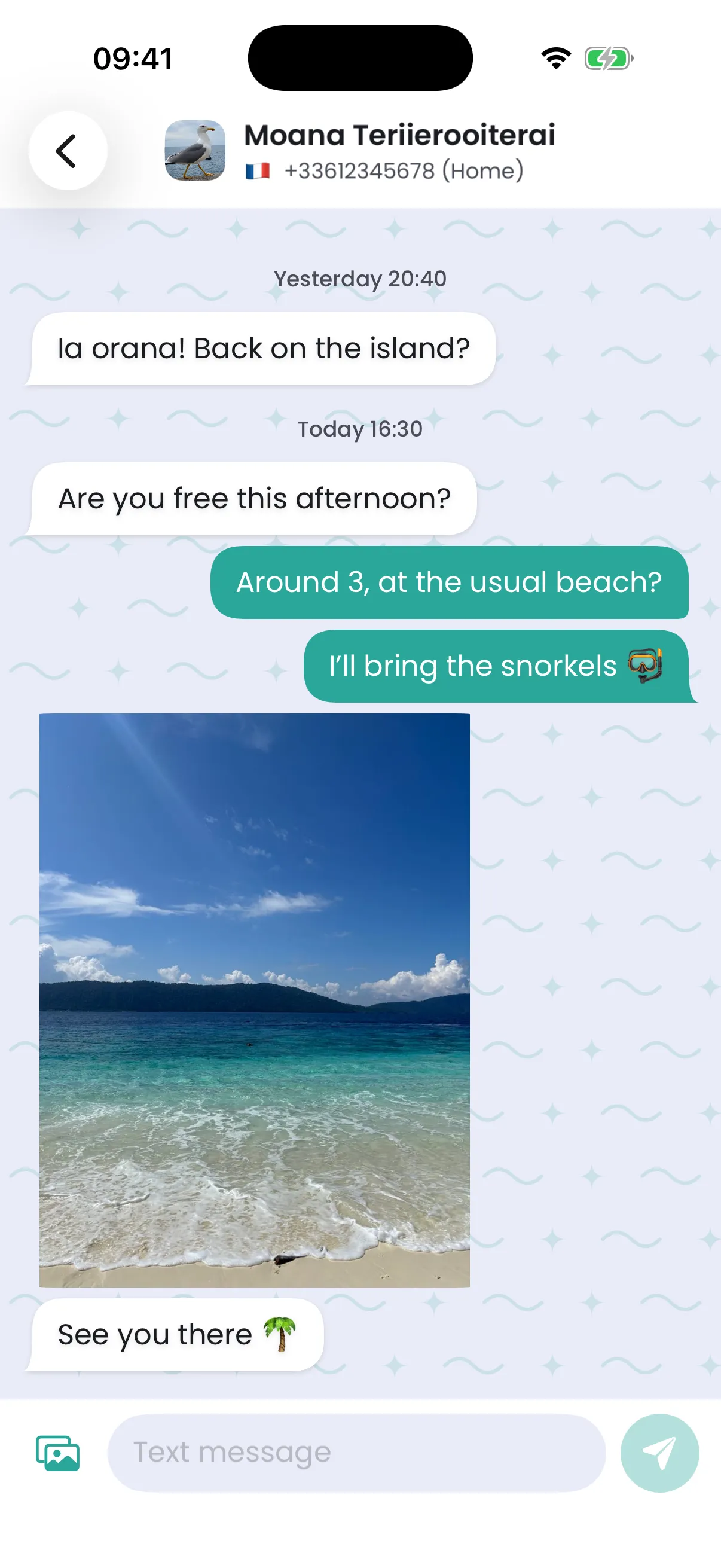
With several Tahaa, the app asks which one to text from the first time, then remembers it. A conversation’s replies always go out on the number it’s on.
Pictures
Section titled “Pictures”Add a picture to a message: it’s sent as a picture message (MMS), resized if needed. Pictures you receive download in the conversation. Picture messages use your operator’s settings, which Tahaa applies by itself. Like texts, pictures are encrypted between your Tahaa and your phones, and each phone keeps its own copy.
Texts longer than one SMS
Section titled “Texts longer than one SMS”One SMS holds 160 characters (fewer with emoji or some accented letters). A longer text travels as several SMS; Tahaa splits it when sending and joins it back when receiving, so you always see one message, as on any phone.
Search
Section titled “Search”The search box at the top of Messages finds conversations, contacts and words in your messages.
Deleting
Section titled “Deleting”Swipe a conversation to delete it. To delete a single message, swipe it on Android, or long-press it on iPhone. Deleted messages are deleted from the Tahaa service too, pictures included, and from your other phones the next time they open Messages.
Your messages stay on your phone
Section titled “Your messages stay on your phone”The Tahaa service keeps your texts and pictures for 30 days, encrypted: long enough for all your phones to get them. Each phone keeps its own copy, for as long as you like, and searches it, old messages included. Signing out asks whether to keep them (they’re kept unless you choose otherwise).
A conversation says replies can’t go out
Section titled “A conversation says replies can’t go out”None of your Tahaa carries that conversation’s number any more: the box was removed from your account, or its SIM changed. The conversation stays readable. Put the SIM back in one of your Tahaa and it carries on; see Your number.
Texts not arriving?
Section titled “Texts not arriving?”If your SIM was used in another smartphone before, its number may still be registered for chat messages (RCS on Android, iMessage on iPhone). People texting you then send chat messages that never reach the SIM. Release it once:
- Google Messages (RCS): messages.google.com/disable-chat
- Apple iMessage: selfsolve.apple.com/deregister-imessage
Both send a code by text to your number: it arrives in the Tahaa app. The links are also in the app’s Settings, under Chat apps. When you put a new SIM in a Tahaa, Messages reminds you with a New SIM detected banner.